Improve client compliance
Veterinary client compliance software for the days after the visit
Care Connect turns this visit’s plan into tasks and reminders the owner follows at home, and shows your team who’s falling behind while there’s still time to help.
No credit card required. Send your first care guide today.
Where client compliance breaks down
Owners leave the exam room meaning to follow the plan. Here’s where it slips, and why your team rarely sees it happen.
At discharge
Instructions get lost on the way out
Discharge comes at the end of the visit, when the owner is worried and the pet is groggy. Asked right after discharge, owners got rest and confinement instructions wrong 63% of the time.
Source: J Vet Intern Med, 2024
At home
Your team can’t see this part
Long plans fade
The first night, owners follow the sheet closely. By week two it’s in a drawer, and the plan runs on memory. In one survey, 47% of dog owners weren’t giving medication as prescribed, and 30% had missed oral doses.
Source: Animals, 2024
At the recheck
Your team finds out late
Nobody at the clinic sees the plan start to slip at home. It shows up as a missed recheck, a complication or a worried phone call, when it’s harder to fix.
Owners care. The trouble is that the plan arrives all at once, on a sheet of paper, and nobody can see how it’s going. Read more about why pet owners don’t follow discharge instructions, and what helps.
How Care Connect improves client compliance
Care Connect is veterinary post-visit care software that runs alongside your PIMS. It works from the plan you already wrote and adds what a printed sheet can’t: timing, reminders and a view of what’s been done.
Paste or upload the discharge instructions you already use, and Care Connect drafts a week-by-week guide. Save it as your standard for that procedure, then assign it to each patient at the end of the exam.
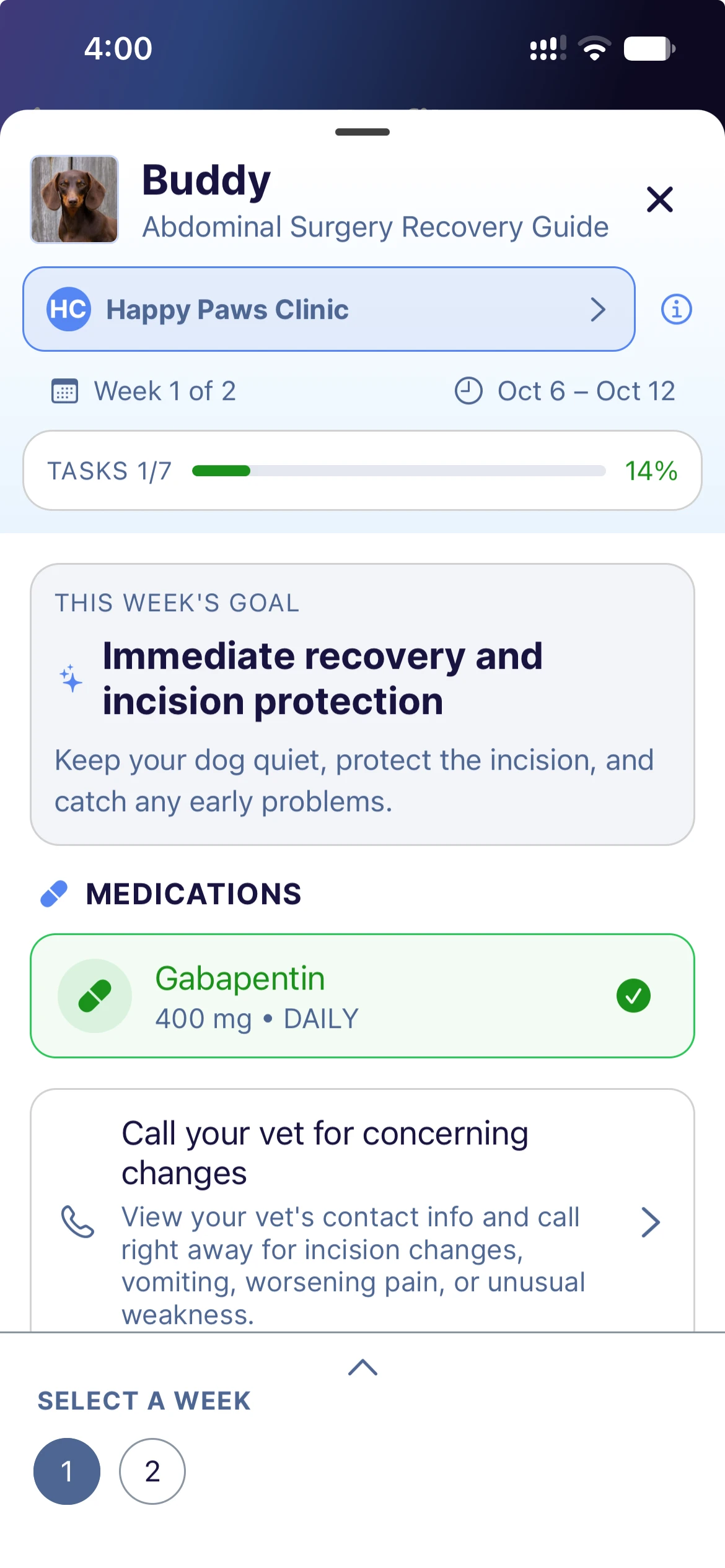
- Medications from the exam become dose schedules. Gabapentin three times a day for five days becomes 15 doses on the owner’s phone or calendar.
- Your template brings the rest periods, check-ins and photo requests, like a picture of the incision in week two. Your notes for the client come in as tips.
- Every guide starts as a draft, so your team can change anything before the owner sees it.
Owners open the guide in the free Every Wag app, or from an email link in any web browser. Tasks are grouped by week, so they see what matters now instead of the whole plan at once.
- A reminder for every dose, set with one tap in the app or added to the owner’s own calendar
- Rest and restriction reminders on the days they apply, with the reason for each
- The signs that mean “call us now,” with your phone number and after-hours contact a tap away
Each guide shows your team what the owner has done, without anyone picking up the phone.
- Tasks done and still open, week by week, with the date each one was checked off
- When the owner last opened the guide and last finished a task
- Owner photos, and check-ins like weight, appetite or mobility charted over time
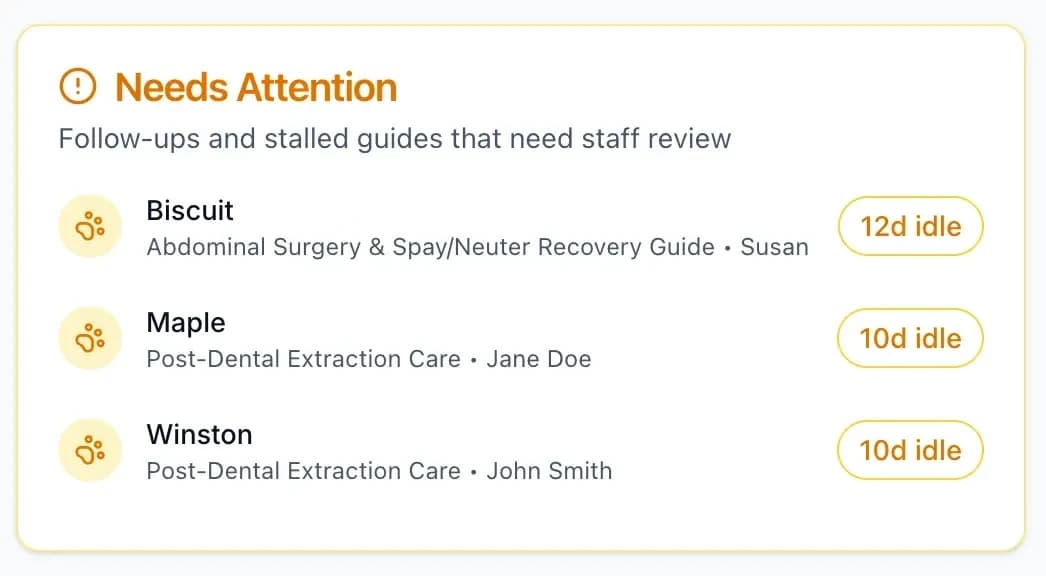
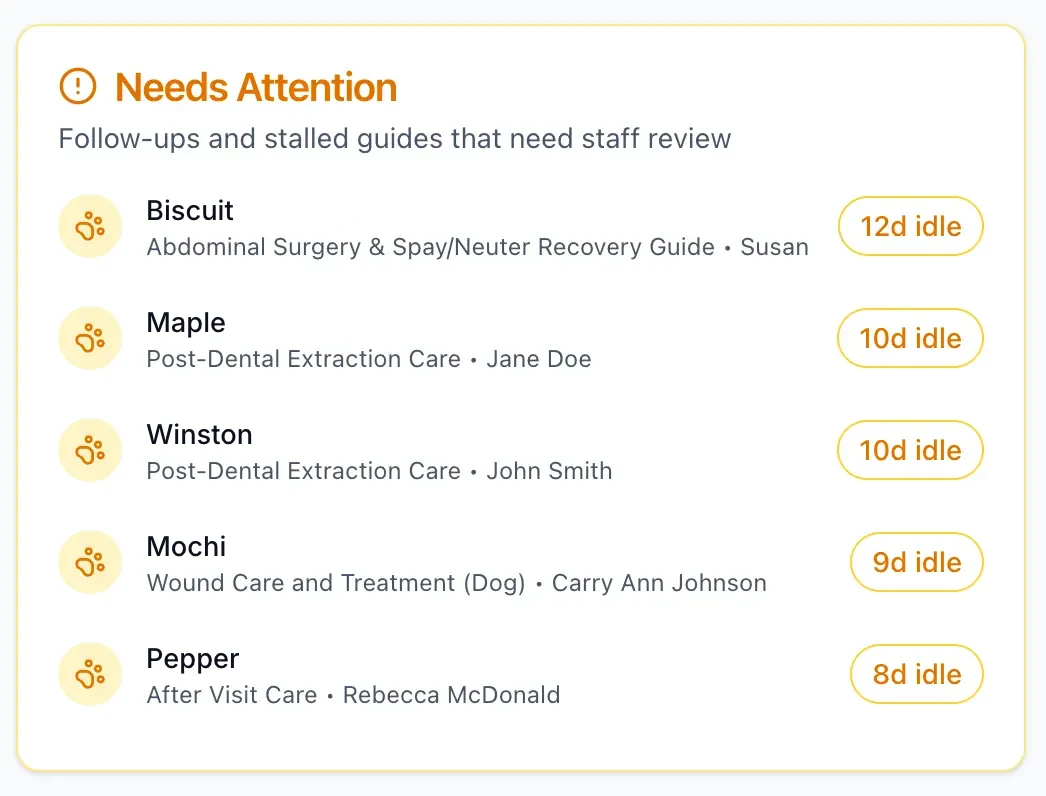
A guide with no activity for a week moves to the Needs Attention list on your dashboard. Your team knows which owners to contact and can leave the rest alone.
- Care Connect nudges owners for you: an email if they haven’t started by day two, then reminders about tasks still open, by email or app notification
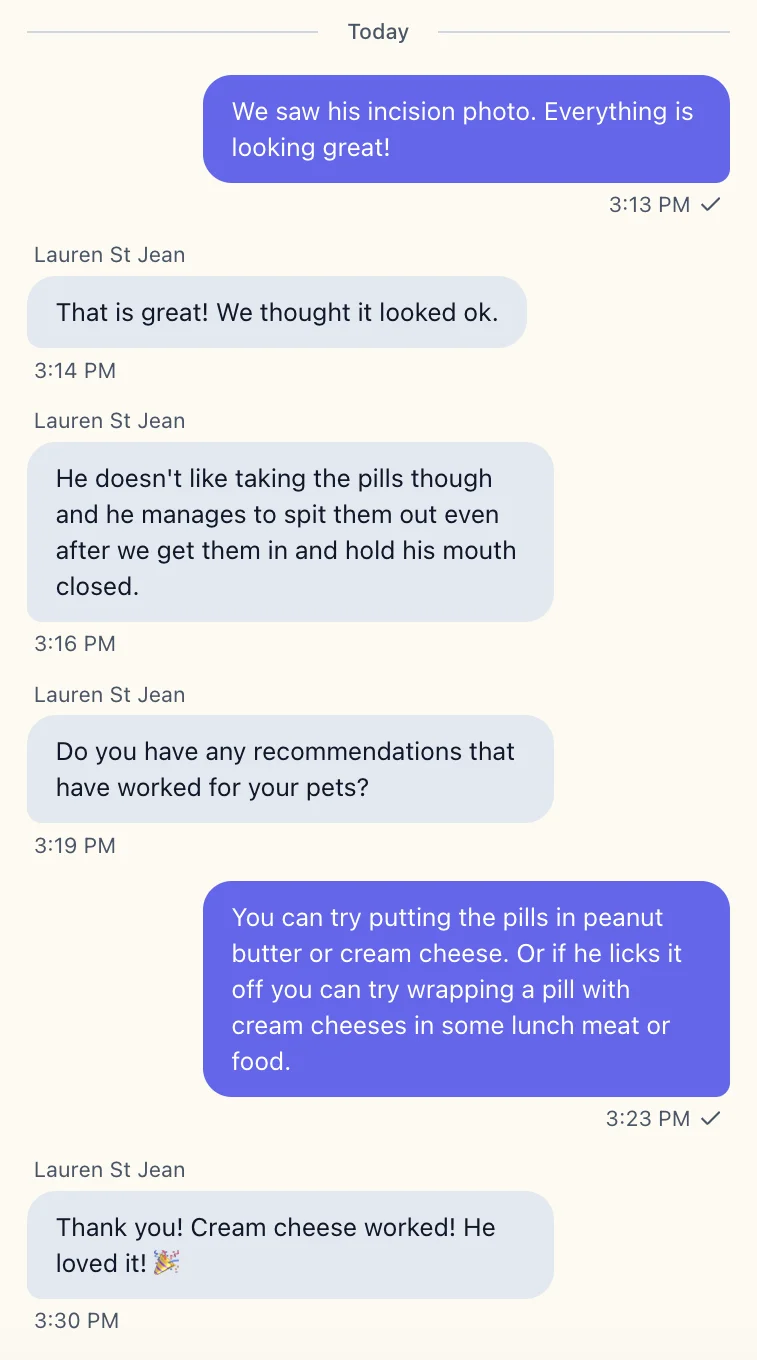
- Message the owner from Care Connect. Owners using the app get a notification and can reply.
- Skip the routine check-in call for patients who are on track. See how clinics reduce routine follow-up phone calls.


How Care Connect differs from your reminder tool
Reminders get owners to book what’s due next, and most clinics already send them. Care Connect is veterinary aftercare software for the part reminders don’t cover: getting this visit’s plan done at home.
| Question | Reminder tools | Care Connect |
|---|---|---|
| What it’s for | Getting the next visit booked: vaccines, preventives, the annual exam | Getting this visit’s plan done at home, from the first dose to the recheck |
| What the owner gets | A message when something is due | A week-by-week plan on their phone, with reminders for every dose and the signs that mean “call us now” |
| When you find out a plan is slipping | At the recheck, or when a worried owner calls | During recovery, when a guide goes quiet or a photo comes in, so you can step in before it becomes a complication |
Where clinics use it
Care Connect fits any plan that has to work at home. Unlike a standard discharge sheet, it helps your clients stay on track and keeps your clinic informed.
Post-op recovery
Instead of paragraphs of rules on one sheet, owners get each week’s steps as they come up, whether it’s a spay or an eight-week TPLO recovery.
- Fewer “is this normal?” callsWhat to expect each week is in the guide.
- See the incision without a visitThe guide asks for a photo in week two.
In the owner’s guide
- Incision photo in week two
- Leash walks that lengthen week by week
- Pain medication reminders
- Signs that mean “call us now”
Dental extractions
Instead of a sheet they read once in the car, owners get two weeks of soft-food reminders and a note on what’s normal.
- Fewer calls about pink salivaThe guide says what’s normal in the first few days.
- Every dental goes home the same wayYour team sends the same guide each time.
In the owner’s guide
- Soft food for 14 days
- No chew toys or brushing
- Pain medication on schedule
- What’s normal: a pink tinge in the water bowl
New long-term medications
Instead of a label on a bottle, owners get a reminder for every dose and the side effects to watch for.
- Fewer “when’s the next dose?” callsEach dose has its own reminder.
- Know reminders are set upYou see when the owner checks off the medication.
In the owner’s guide
- A reminder for each dose
- How to give it
- Side effects to watch for
Weight-loss plans
Instead of a target weight and a feeding amount, owners get a portion calculator and weigh-ins to log at home.
- A weight trend at every recheckWeigh-ins are charted between visits.
- Clients who stay in touchOwners log progress, and you can message them.
In the owner’s guide
- Portion calculator
- Daily activity goal
- Weigh-ins charted over time
Chronic conditions
Instead of asking how the last month went, you see the readings owners logged at home.
- Trends, not memories, at each visitReadings like blood glucose are charted over time.
- Clients who stay connectedRegular check-ins keep your clinic part of daily care.
In the owner’s guide
- Blood glucose readings
- Resting breathing rate
- Mobility and comfort check-ins
“Everything from intake to the care plan lives in one place now. We spend less time chasing paperwork and more time with our patients.”
Veronica Torres, CVT
Owner, Vet Tech 2 U
Questions about Care Connect
Does Care Connect replace our PIMS?
Do pet owners need to download an app?
How long does it take to build a guide?
Can we use our own discharge instructions?
How do we measure treatment compliance with Care Connect?
What does Care Connect cost?
Send your next treatment plan home as a guide.
Owners get tasks and reminders for each step, and your team sees who needs a follow-up.
No credit card required. Send your first care guide today.