
The history before you pull up
Intake and pre-consult forms collect history, concerns, and owner questions before the appointment, not on the doorstep.
Mobile veterinary software
Aftercare, intake, and SOAP notes for mobile and house-call veterinary teams. Owners get a clear plan before you leave, and you can follow their recovery from the road.
No credit card required. Send your first care guide today.
In a clinic, the front desk handles follow-up calls. Mobile and ambulatory teams don't have one, so a forgotten dose or a next-morning worry goes straight to someone's cell phone.
That makes the end of the visit count. When the owner has a clear plan before you drive away, they have the answers they need at home.
Care Connect covers the whole house call: intake forms before you arrive, exams and SOAP notes while you're there, and a care guide that keeps recovery on track after you leave.
“As a mobile vet tech business, we don’t have a front desk or a central office. Care Connect keeps our intake forms, exams, and SOAP notes in one place, and our whole team connected.”
Veronica Torres, CVT
Owner, Vet Tech 2 U
Intake, exams, and team records, set up for practices that see patients at home.
Intake and pre-consult forms collect history, concerns, and owner questions before the appointment, not on the doorstep.
Structured exams build the SOAP note as you work, so charting doesn't follow you home at the end of the day.
Keep the practice management software you already use. If it runs in a browser, the free Care Connect Bridge extension opens Care Connect right beside it.
Every vet and tech sees the same records, exams, and client messages, without a central office. Unlimited staff are included.
Most of the follow-up from a mobile visit happens once you've left. Here's where Care Connect takes over.
| Before | With Care Connect | |
|---|---|---|
| Discharge instructions | Explained on the doorstep, maybe written on a note, and half-forgotten by evening. | A care guide with medications, tasks, and restrictions on the owner's phone before you leave the driveway. |
| Owner questions | Calls and texts to whichever of your team's personal cell numbers the client has. | The guide walks owners through each step and task, so they know what to do next without having to call. |
| Checking on recovery | Someone calls each owner between appointments, or nobody does. | Owners check off tasks, share progress photos, and log updates, all saved to the patient's file. |
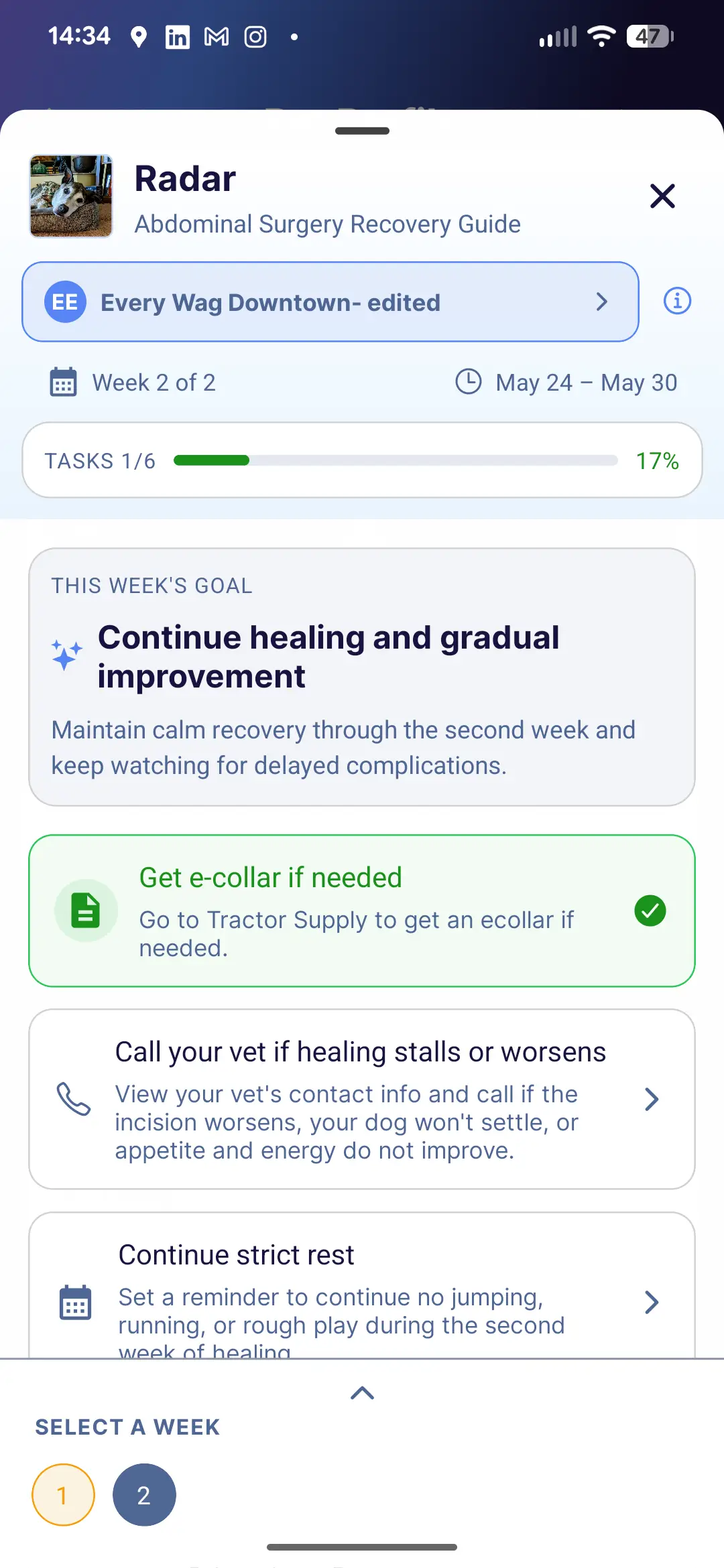
Build the care guide from your exam and send it while you're still with the owner. They can open it in the app or from a web link, and you can see what they've done.
The hidden cost of aftercare
Aftercare calls take staff time, whether clients need clarification or a patient needs more support. Small interruptions can add up across the week.
Care Connect helps your team track follow-ups so you can see the actual reasons, trends, and costs of aftercare at your clinic.
Try Care Connect free for 14 days and keep owners, records, and recovery connected wherever you work.
No credit card required. Send your first care guide today.