Care Connect platform

Better aftercare, built from the visit.

Send care plans owners can follow at home, and see how each patient is doing after they leave. Scheduling, pre-visit forms, exams, SOAP notes, charts, and messaging work together to help your team provide consistent, high-quality care.

No credit card required. Send your first care guide today.
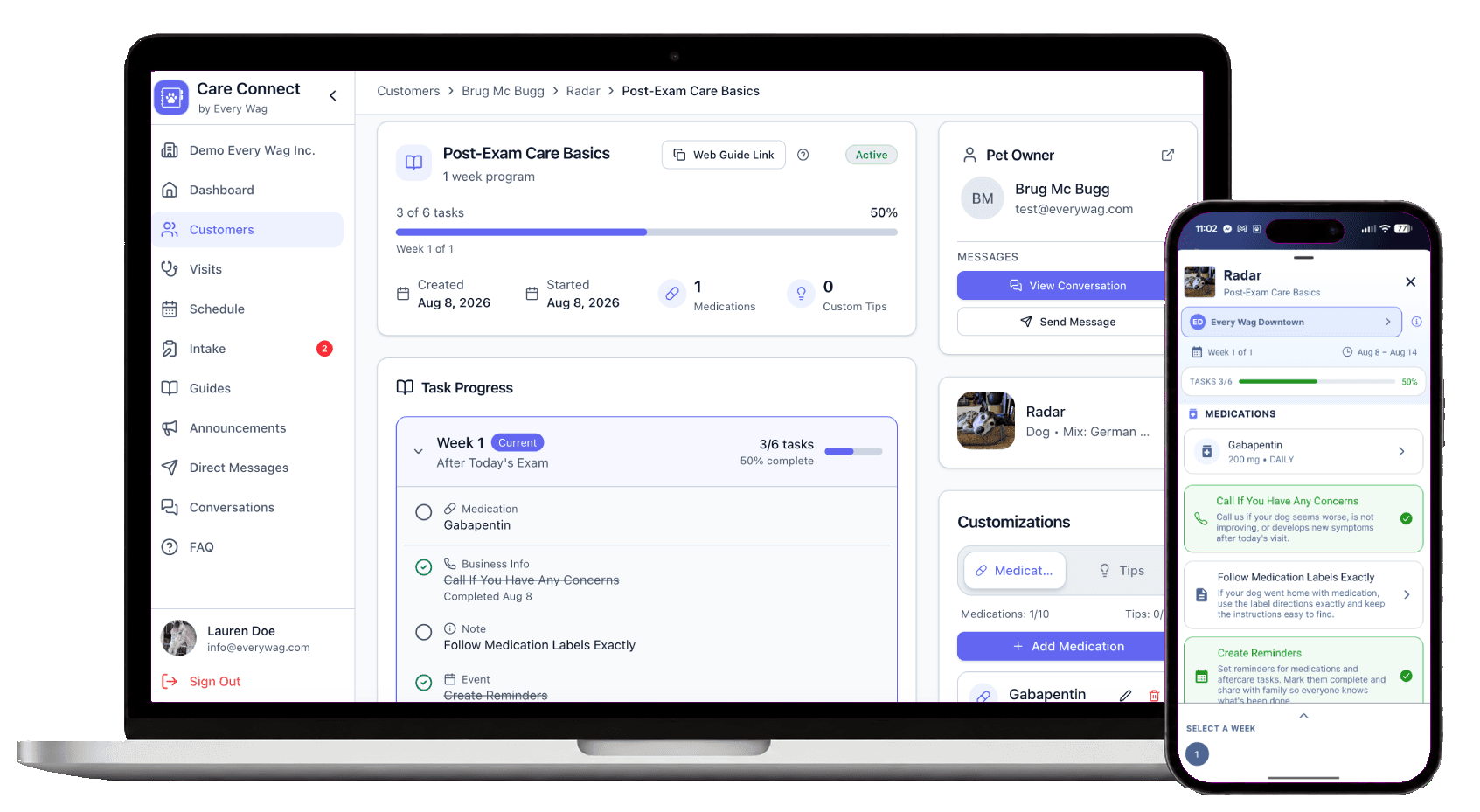
Care Connect on a laptop showing a patient's care guide and task progress, next to the Every Wag app on a phone showing the same guide

From the intake form to recovery at home, one connected visit

Intake answers fill the exam, the exam writes the SOAP note and the care guide, and the guide reports recovery back to your team.

  1. 1

    Bring the client in prepared

    Intake and pre-consult forms collect the owner's concerns, history, and questions before the visit.

  2. 2

    Run the day from one schedule

    See appointments, staff, rooms, and where each visit stands in one view.

  3. 3

    Document care as it happens

    Record concerns, findings, diagnostics, treatments, and recovery care in structured exam forms.

  4. 4

    Create the record and the plan

    Generate the SOAP note for your PIMS and a care guide for the client from the same exam.

  5. 5

    Monitor recovery at home

    After the patient leaves, see completed tasks, owner uploads, and chart trends without calling to ask.

  6. 6

    Stay connected between visits

    Send announcements and reminders, message owners, and follow guide progress.

Care Connect Bridge · Chrome extension

Keep your PIMS. Open Care Connect right beside it.

Care Connect Bridge is a free Chrome extension that opens Care Connect in a side panel next to your browser-based PIMS, so client, patient, and SOAP details don't get typed twice.

  • Search clients, patients, and today's visits without leaving your PIMS.
  • Fill client, patient, and SOAP details into your PIMS.
  • Import clients and patients from your PIMS in one click.
  • Start exams, add visits, and assign guides from the side panel.
  • Bridge maps the fields it recognizes and asks you to confirm the rest.

Works with browser-based PIMS. Bridge is in beta, if you have issues we'll do our best to ensure a smooth integration.
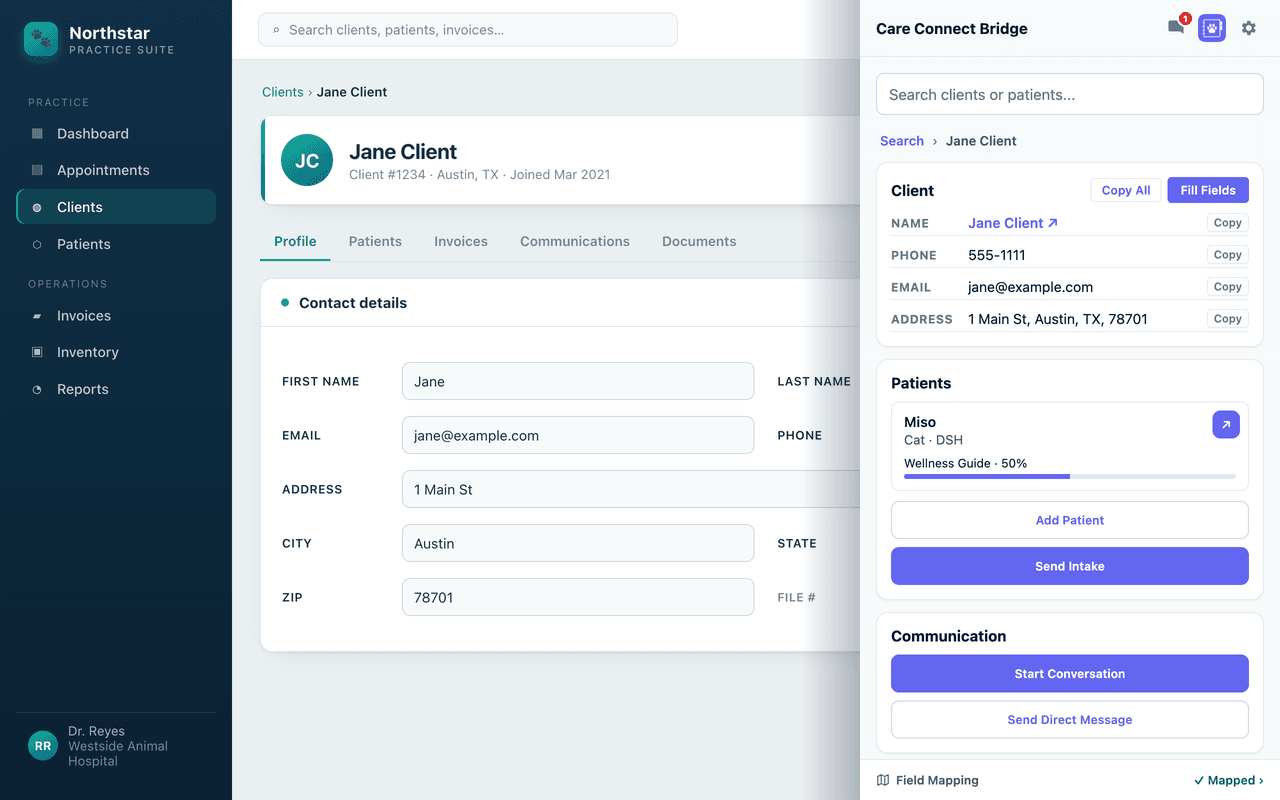
Care Connect Bridge side panel next to a PIMS client record, with copy and fill buttons, the patient's care guide progress, and intake and messaging actions

Intake and referrals

Get new client details before the first visit.

New and referred clients fill out your intake form before they come in, so your team doesn't retype it.
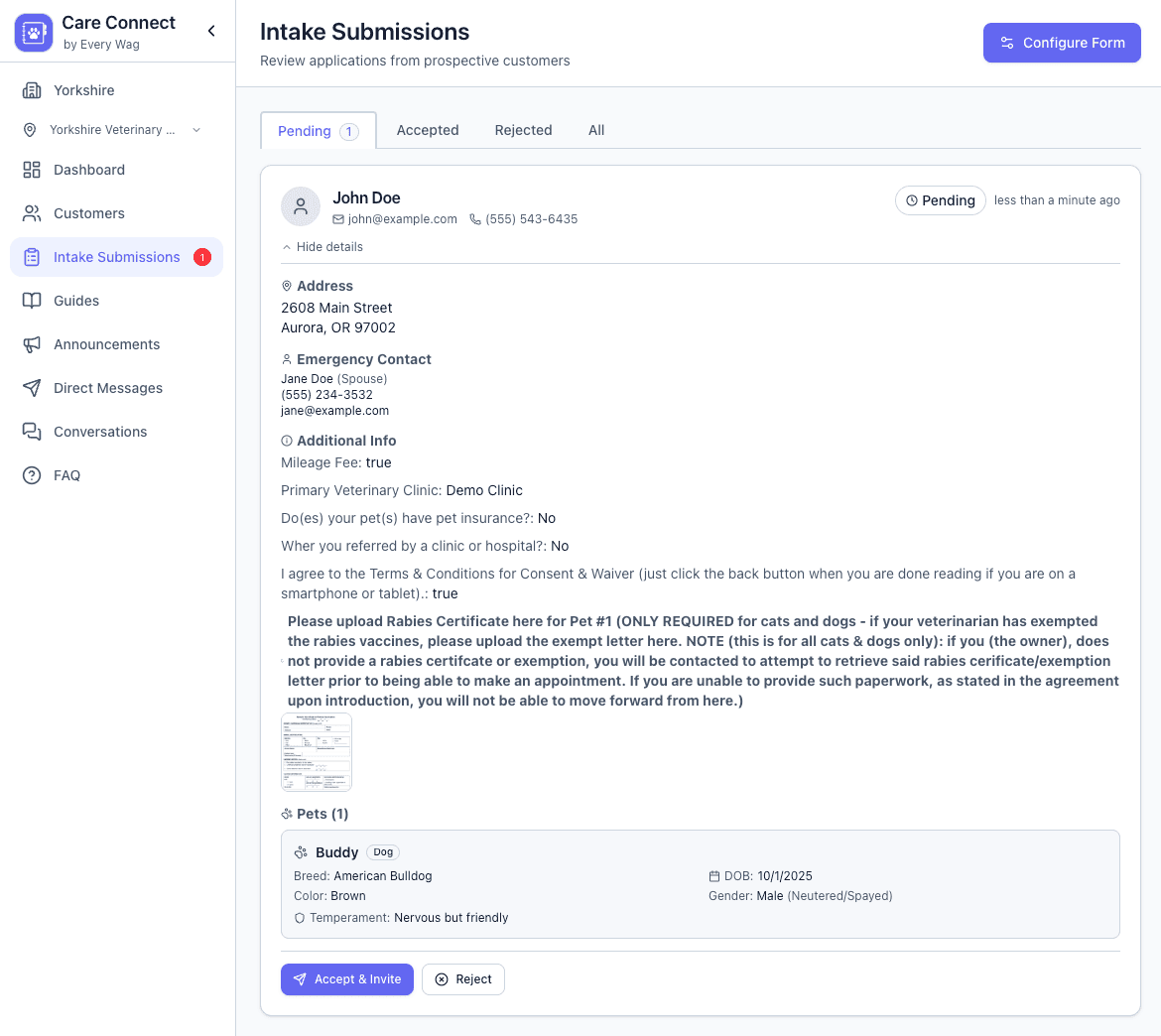
  • Intake links with your clinic's logo
  • Owner and patient details collected before staff get involved
  • Submissions your team reviews before they're added to your records
Care Connect intake submissions dashboard

Scheduling

Schedule around your real staff, rooms, and hours.

See who's working, which rooms are free, and where each visit stands.
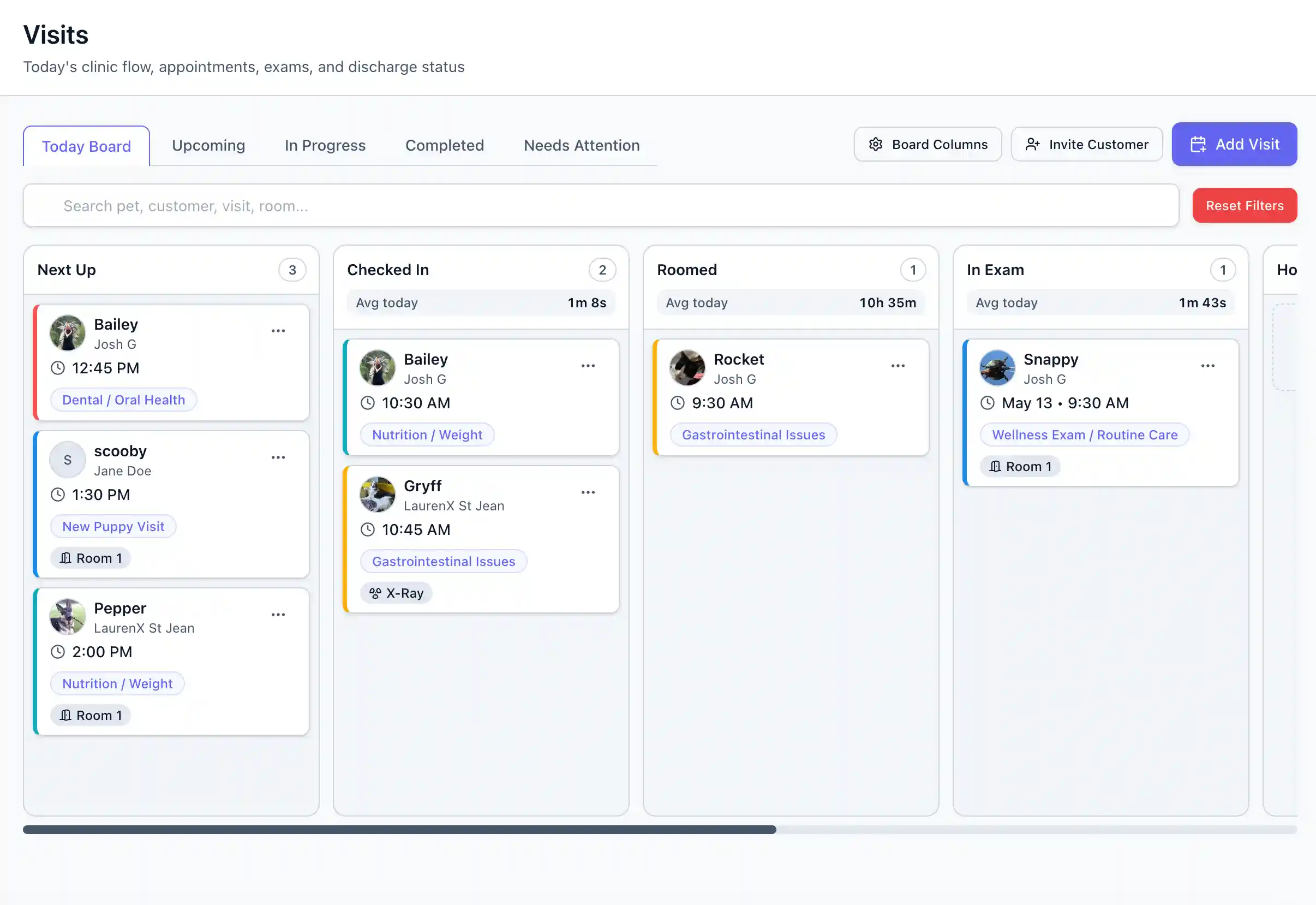
  • Appointment types with set lengths
  • Staff assignments and location, room, and equipment availability
  • Visit statuses from check-in through hospitalization to discharge
Care Connect visits page showing appointment workflow and clinic schedule

Pre-consult forms

Know the owner's concerns before you walk into the room.

Forms matched to the appointment collect history, concerns, and questions before the exam.
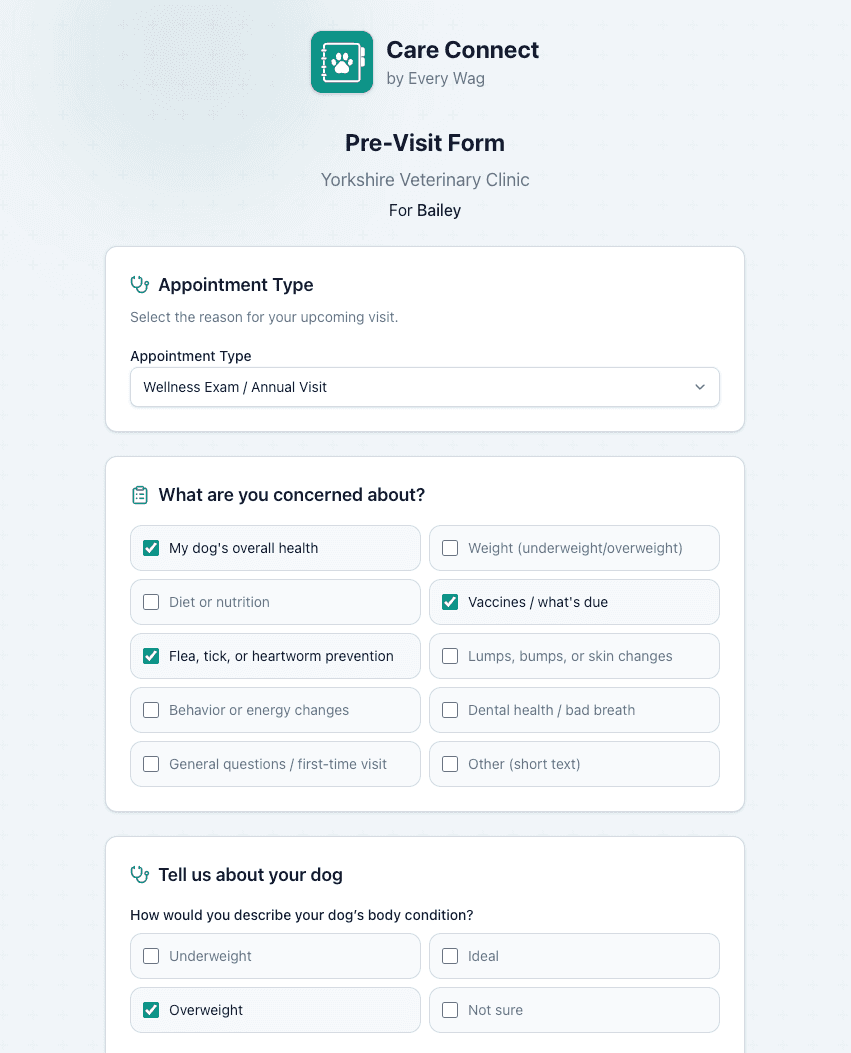
  • Questions that change with the species and appointment type
  • Suggested topics that help owners remember what to ask
  • Owner concerns mapped to standard VeNom terms in the exam
Care Connect pre-consult form with concern and appointment details

Exams and SOAP

Document the exam once for both the record and the plan.

The findings, treatments, and notes your team records during the exam feed the SOAP note and the care plan.
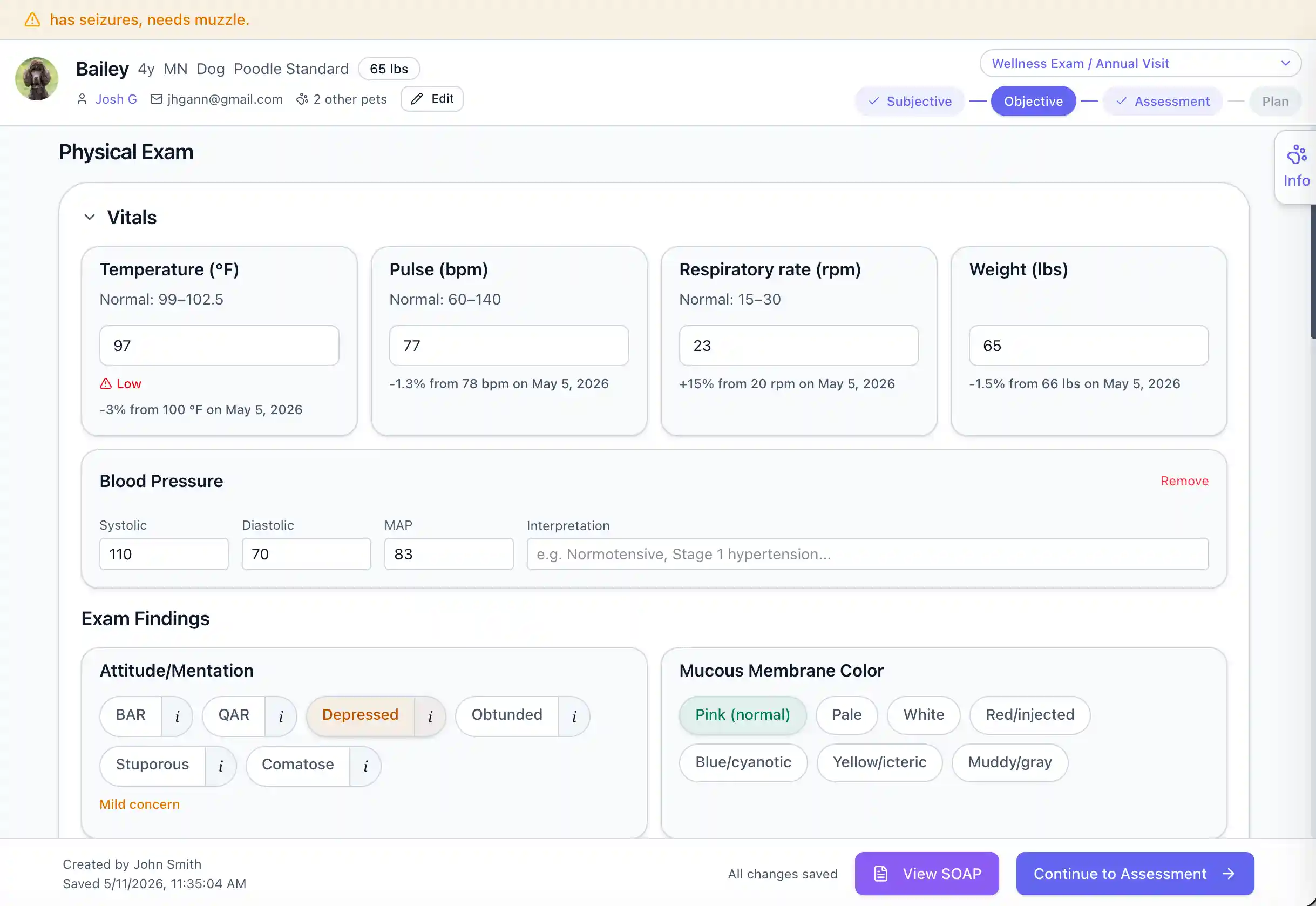
  • Structured sections for concerns, findings, diagnostics, treatments, and procedures
  • SOAP notes generated from the visit
  • Exam values carried into the patient's charts
  • Care guides built from what the team documented
Browse body map templates
Care Connect exam workflow showing physical exam and SOAP progression

Care guides

Send home care instructions clients can follow.

Each guide turns the treatment plan into timed tasks and reminders. Owners can send back photos and updates.
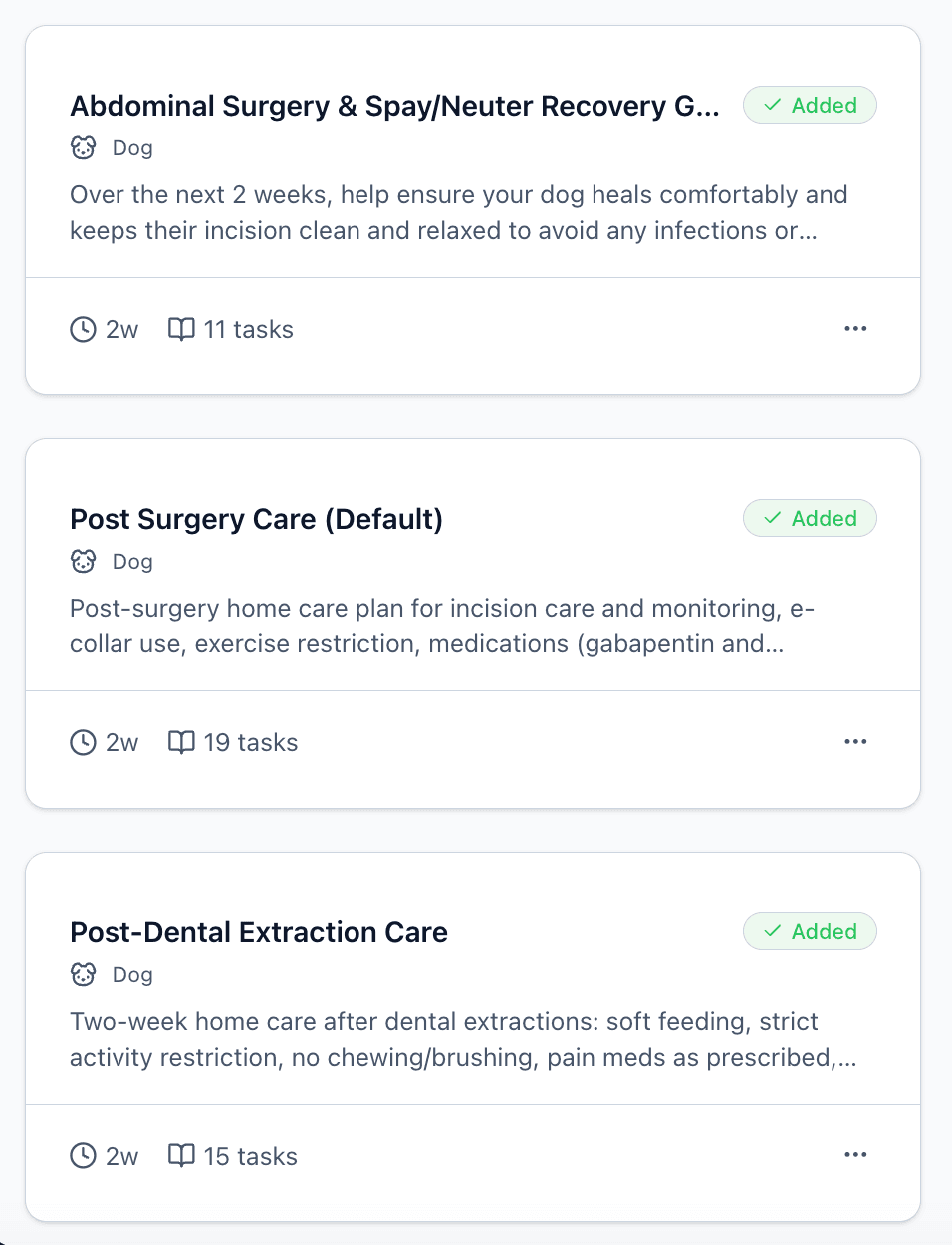
  • Step-by-step instructions for medications, restrictions, checks, and follow-up
  • A short explanation of why each step is needed
  • In the Every Wag app, or by email link for owners without the app
  • Your team sees each owner's progress
Care Connect care guide library with discharge and recovery guides

Recovery monitoring

Know which patients need attention as they recover.

Check task progress, owner uploads, and trends instead of calling every owner.
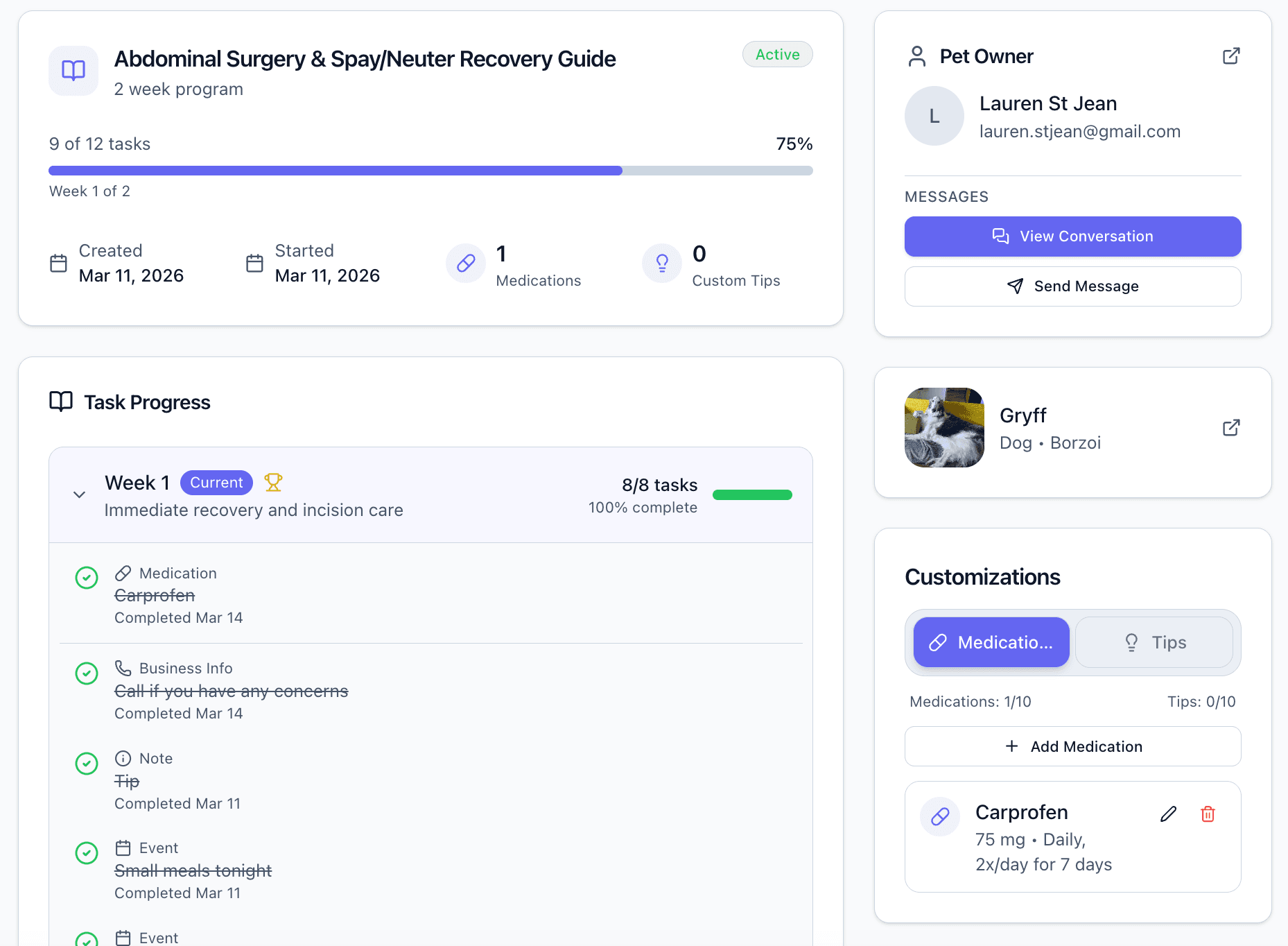
  • Completed and missed tasks for each patient
  • Owner photos, files, and updates, attached to the care guide
  • Vitals snapshots and trend charts after procedures
  • Reminders that tell staff when the next recovery check is due
Care Connect showing a client's surgery recovery guide with 9 of 12 tasks complete

Patient health charts

Track each patient's health between visits.

Exam values and owner updates from care guides build a chart for each patient, so the next visit starts with a record of what changed.
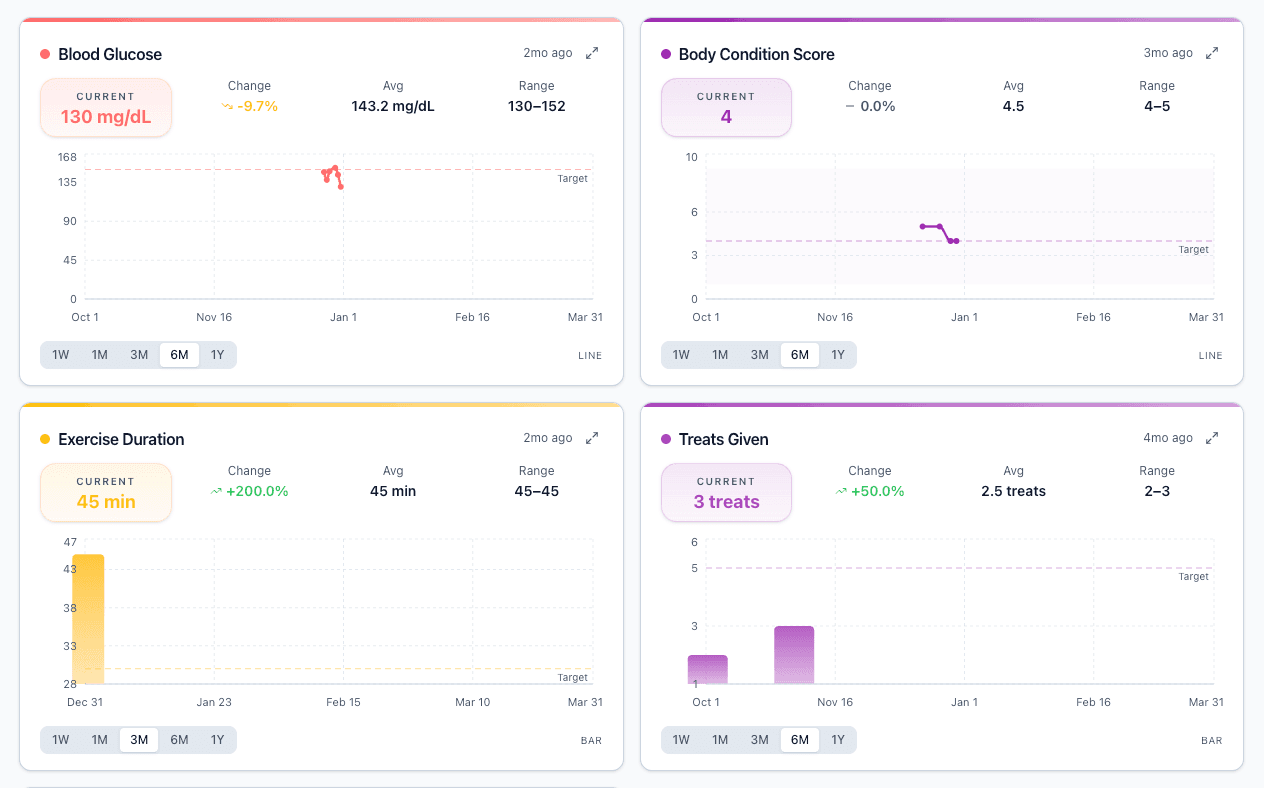
  • Exam values, such as weight, added to charts automatically
  • Weight, appetite, activity, and symptoms logged by owners
  • Trend lines that make slow changes easy to spot
Care Connect health charts and trend dashboard

For the people running the clinic

An easier workflow for your team, and better aftercare for clients.

Practice owners and managers can see how visits run and where to improve them.

Practice owners see the whole operation

Visit flow, staff workload, and patient follow-through in one place.

Managers standardize what works

Guide libraries, appointment types, and visit statuses make your best process easy to repeat.

Clinical teams lose fewer details

Pre-visit forms, exam findings, SOAP notes, and care plans stay together on the patient's record.

Clients know what to do next

The plan goes home as plain-language tasks, reminders, and steps your clinic can track.

The hidden cost of aftercare

Aftercare calls already have a price. It just isn’t on an invoice.

Aftercare calls take staff time, whether clients need clarification or a patient needs more support. Small interruptions can add up across the week.

Care Connect helps your team track follow-ups so you can see the actual reasons, trends, and costs of aftercare at your clinic.

Just 7 aftercare calls a day costs a clinic

$812 / month

Calculate your aftercare costs

Try Care Connect with your own clinic workflow.

Run scheduling, records, care plans, and client follow-up from one system.

No credit card required. Send your first care guide today.

No long-term contractsWorks alongside your PIMSEvery feature included