
Reduce vet clinic phone calls
Cut routine aftercare calls at your vet clinic
Most calls after a visit are owners checking something they were told at checkout. Care Connect turns your discharge instructions into a guide on the owner’s phone, so the answer is already there, and shows your team which patients still need a call.
No credit card required. Send your first care guide today.
Why owners call after a visit
Discharge happens fast, and owners go home remembering less than you told them. Asked right after discharge, owners got medication side effects wrong 71% of the time, and rest and confinement instructions wrong 63% of the time (J Vet Intern Med, 2024). Those gaps come back as phone calls.
Here’s how Care Connect answers their questions before the phone rings.
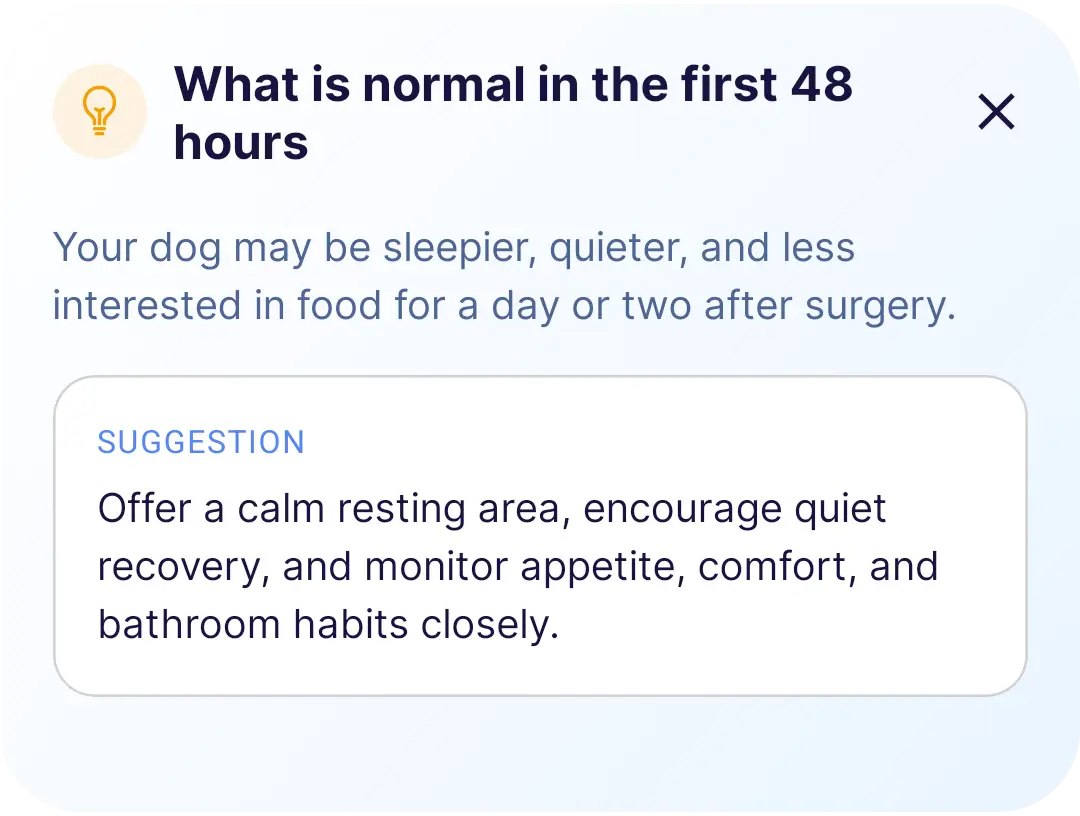
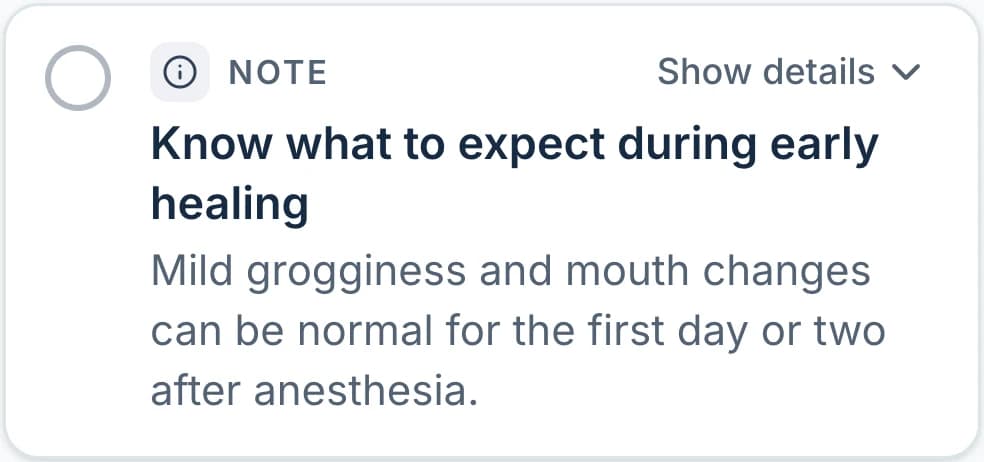
Each guide carries your notes on what to expect after the procedure, like how much grogginess is normal in the first day, so owners can check before they call.
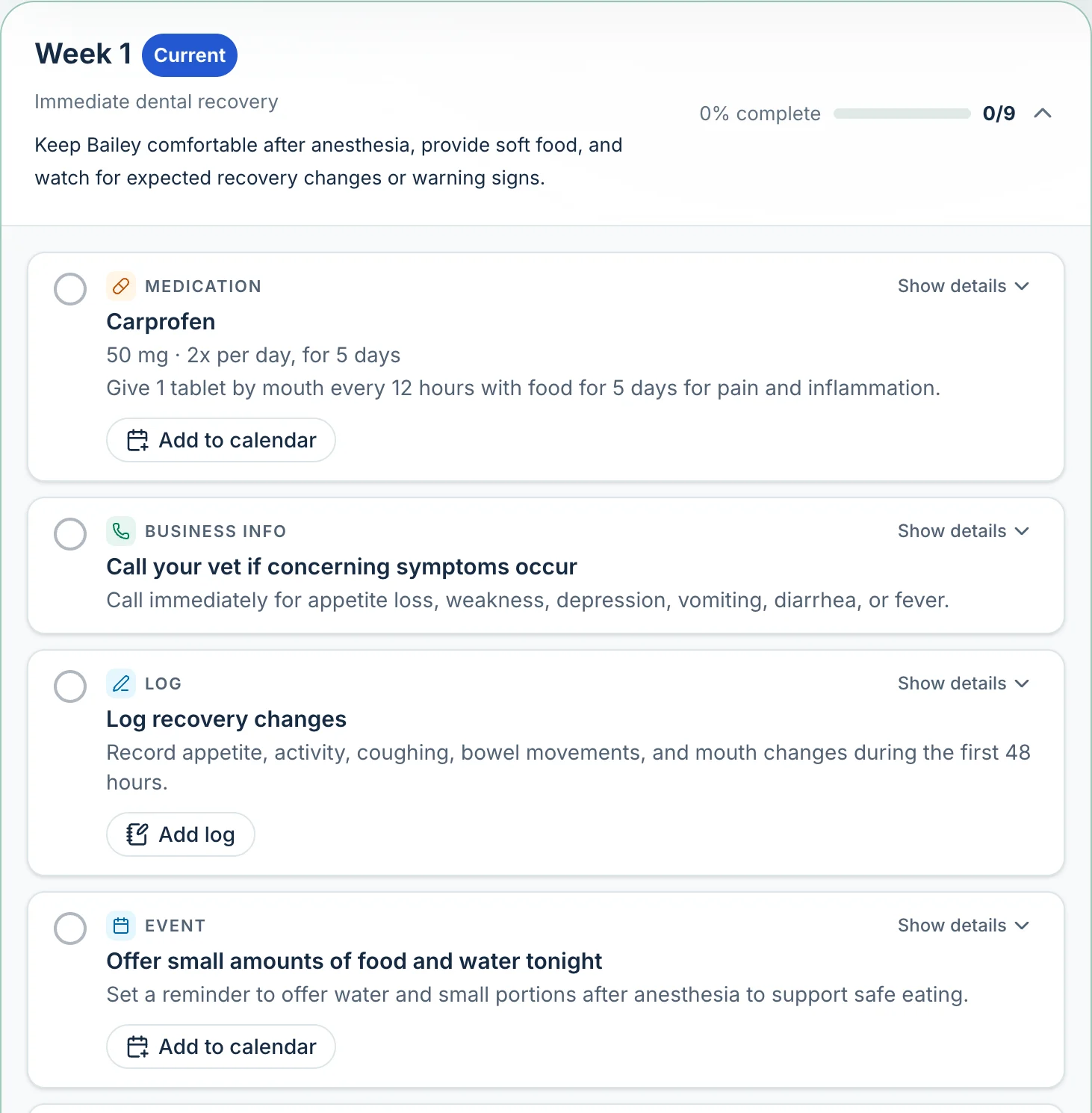
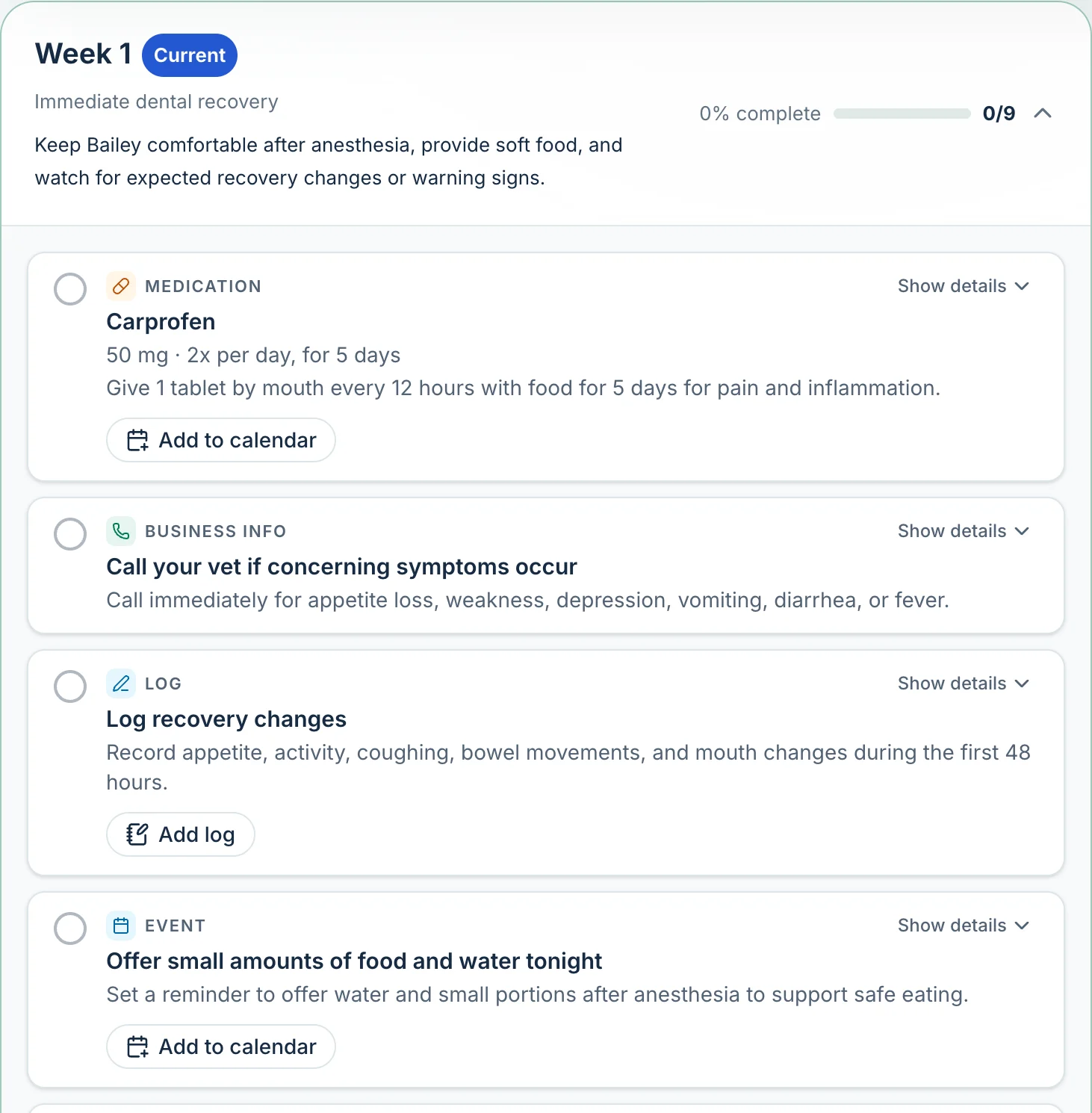
Medications from your exam become reminders for every dose, even twice- or three-times-daily meds.
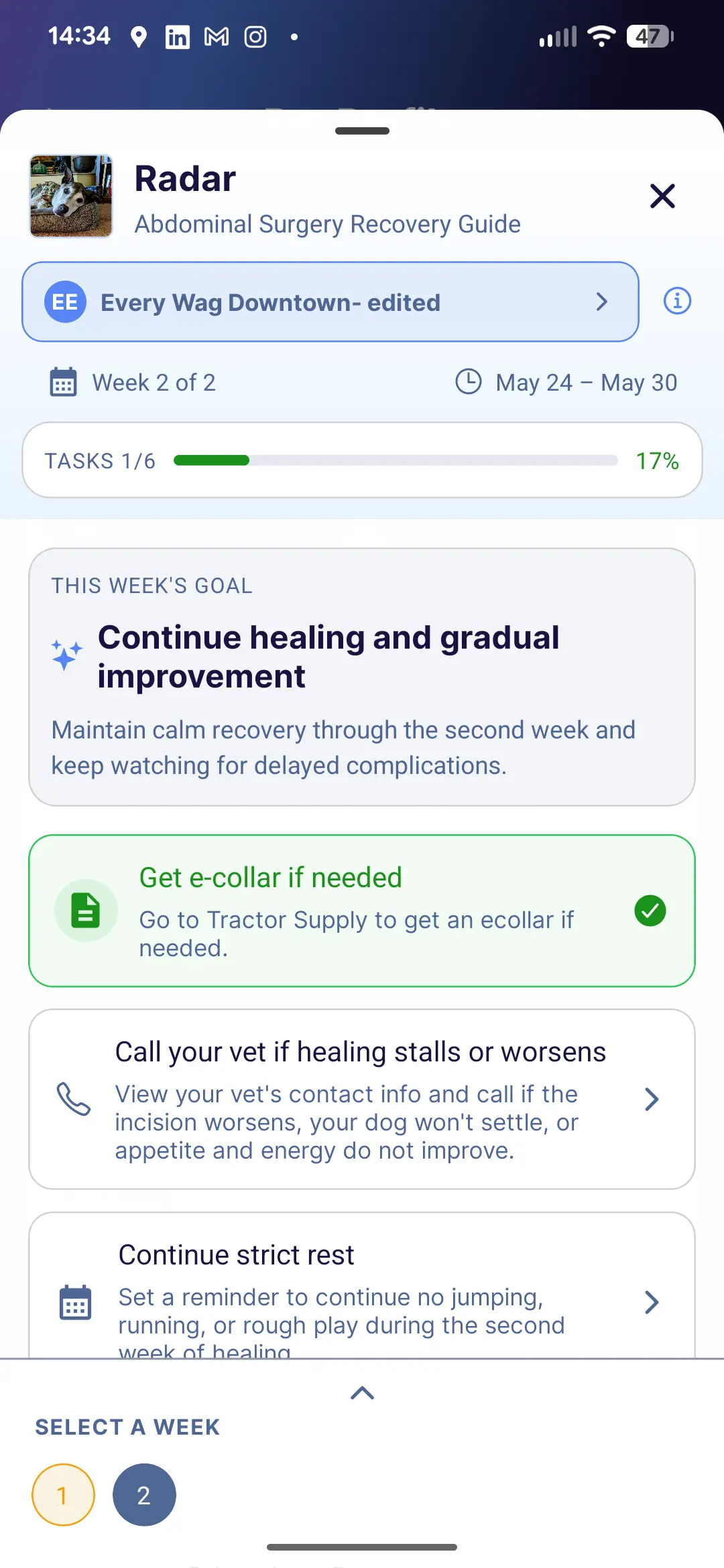
Rest rules land on the owner’s calendar for the days they apply, with a short reason for each, so “no jumping or running” doesn’t depend on memory.
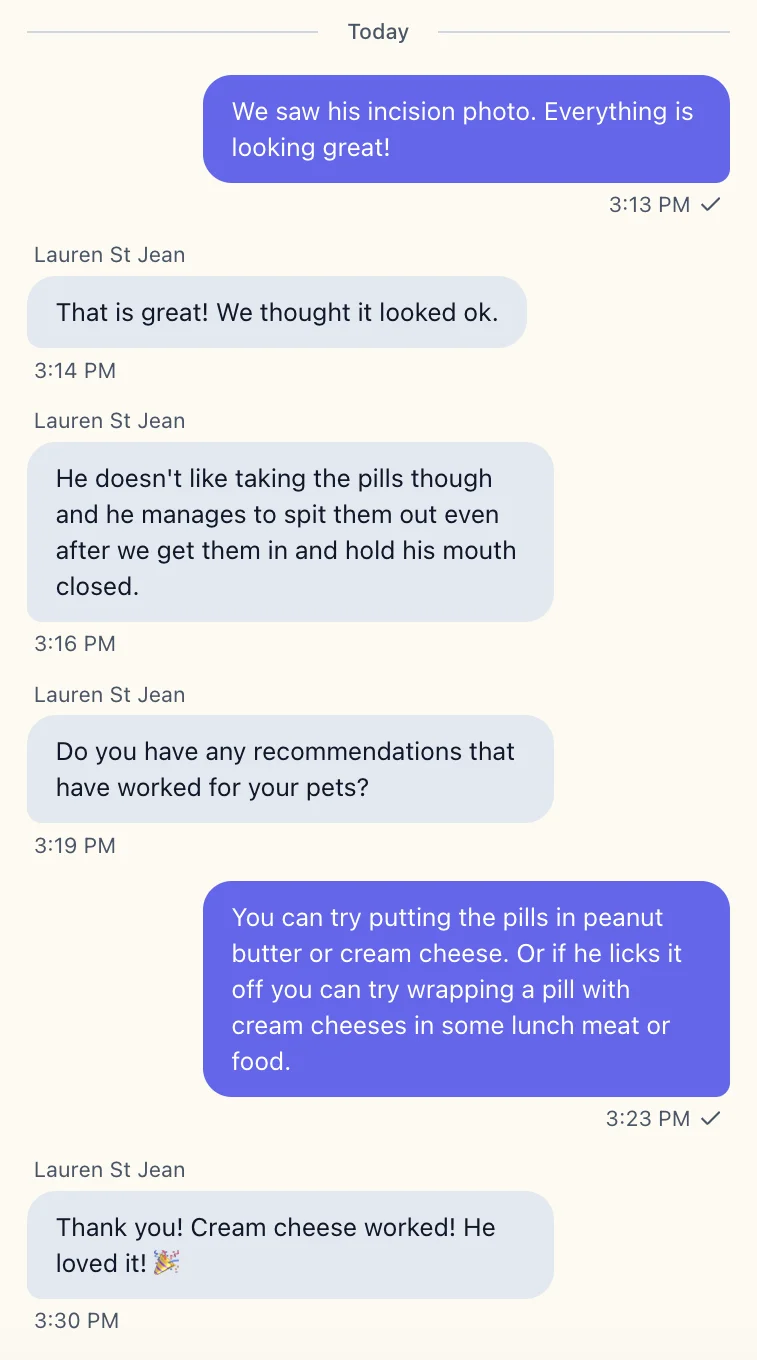
The guide asks owners for an update photo when you want to see the incision. Your team takes a look between appointments and replies by message.
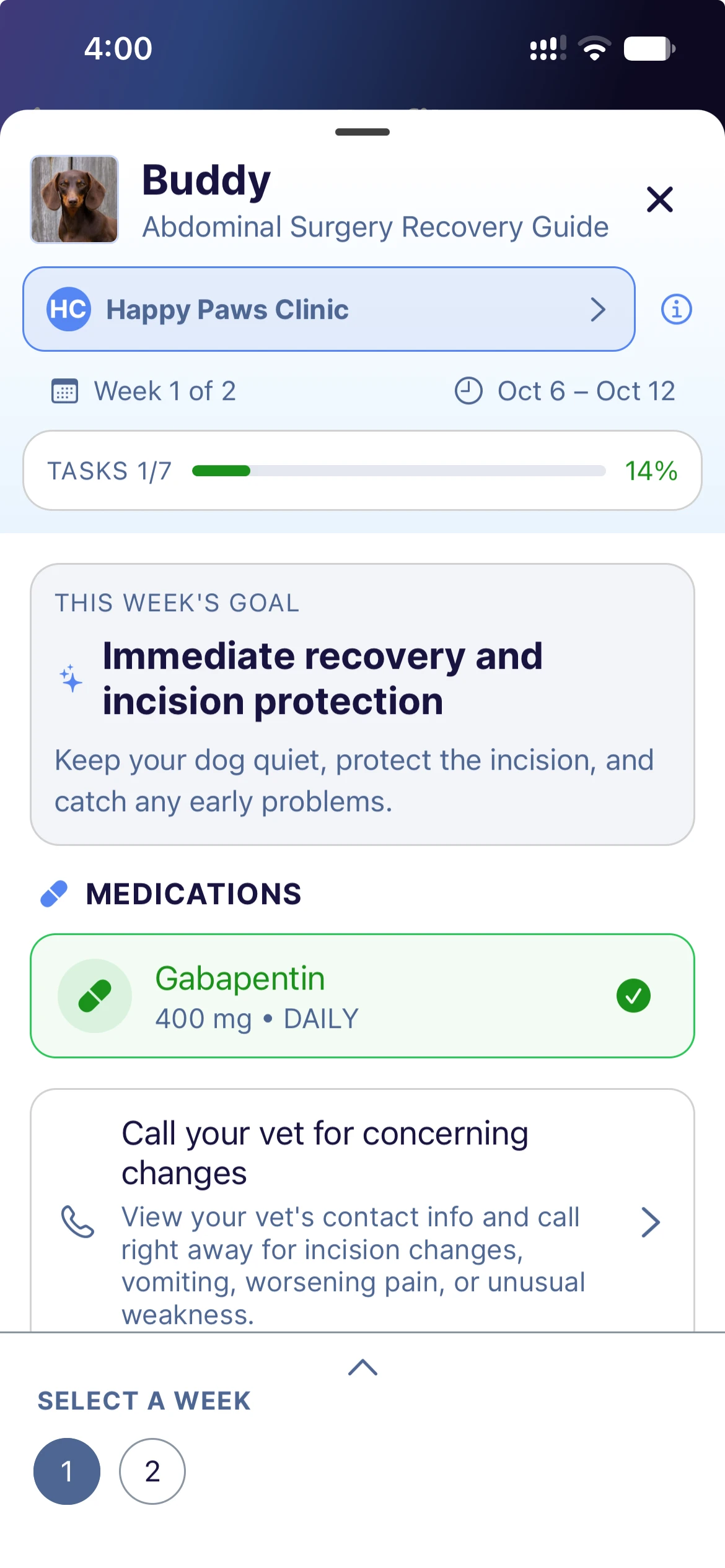
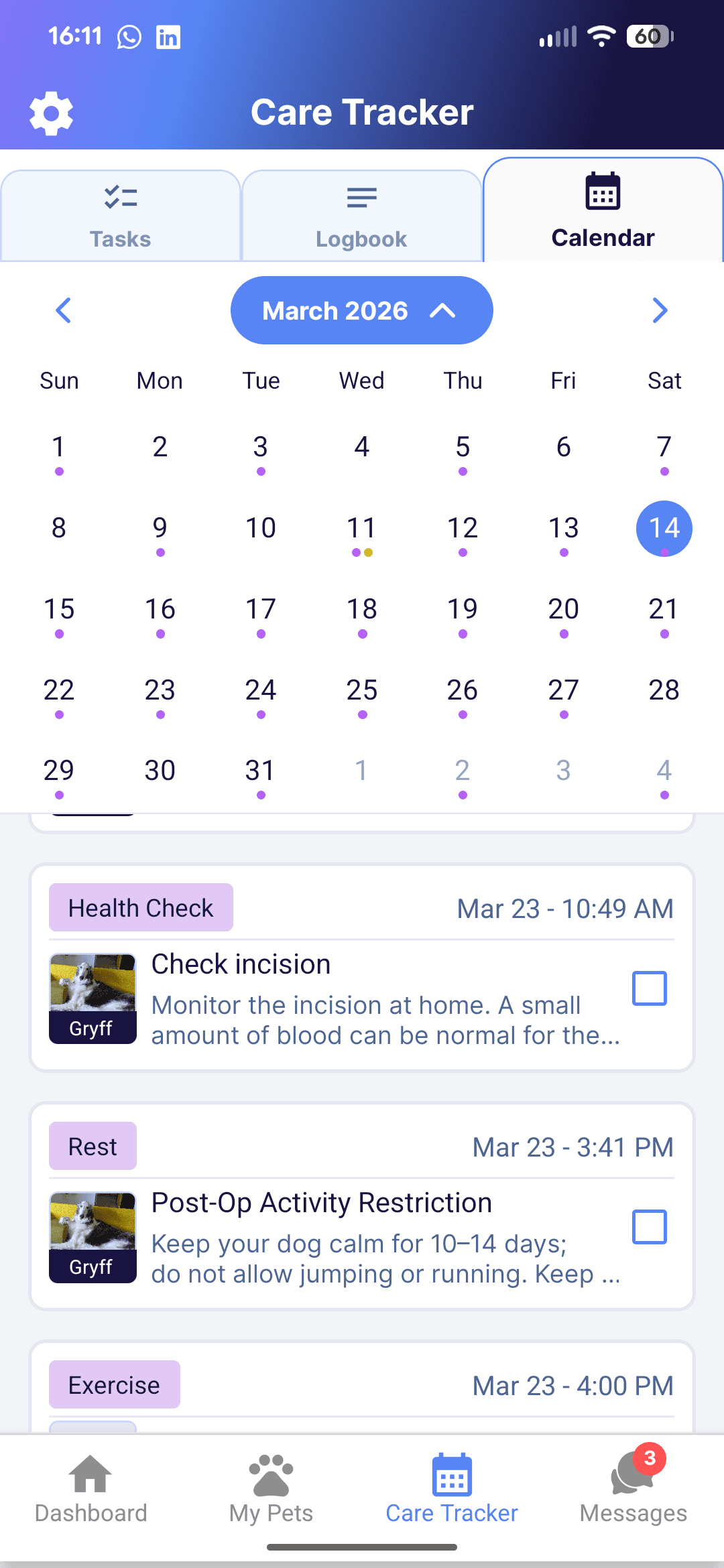
Some calls should still happen. Each guide can list the warning signs that need a call, with your number and your after-hours emergency contact one tap away.
Handle follow-up between appointments
Photos and updates from owners arrive in Care Connect, tied to the client and the patient. Your team can review them and reply by message when there’s a gap in the schedule, without stepping out of an exam to answer the phone.
Care Connect also shows your team:
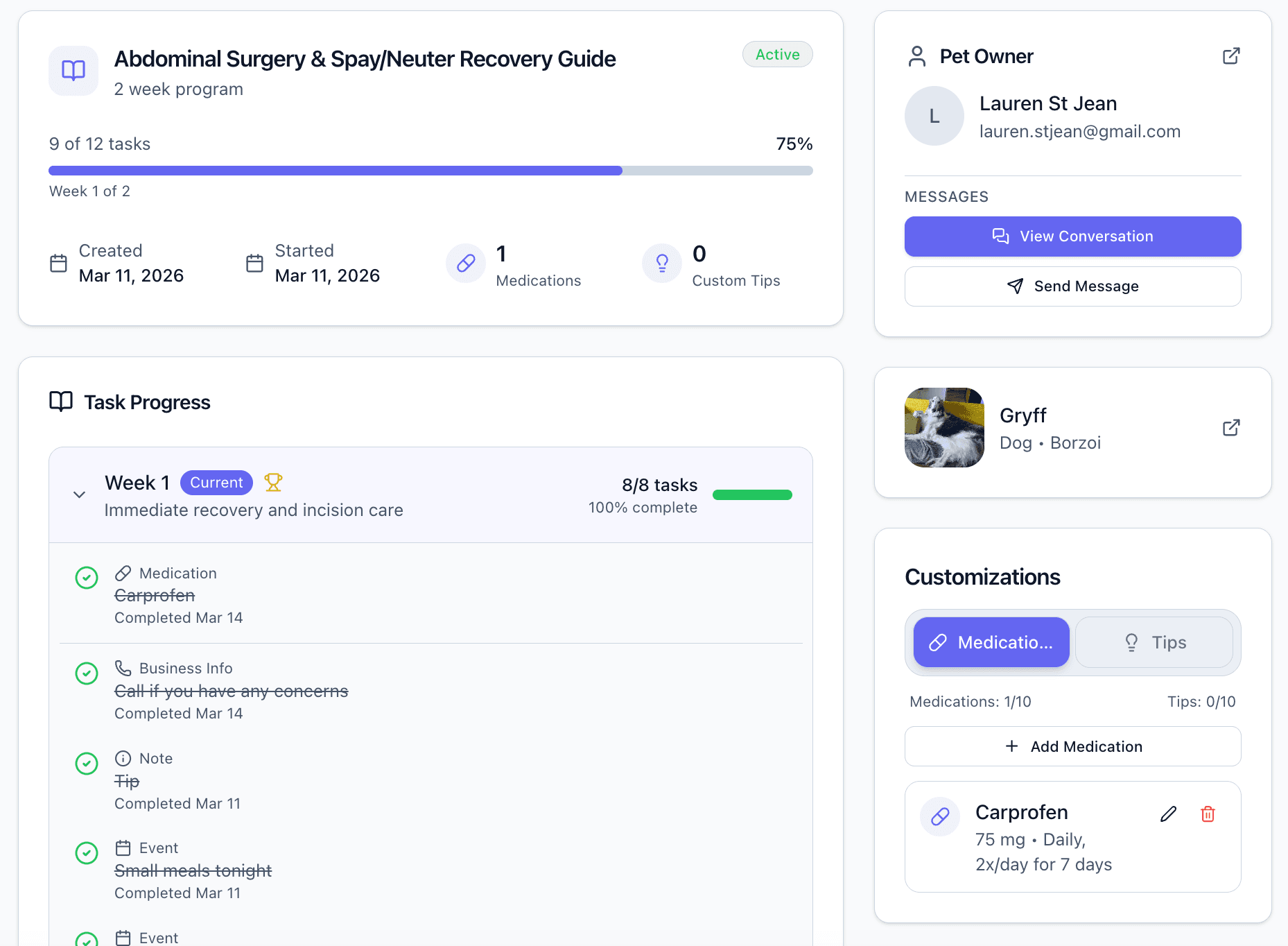
- Each patient’s progress through the guide, such as 9 of 12 tasks done
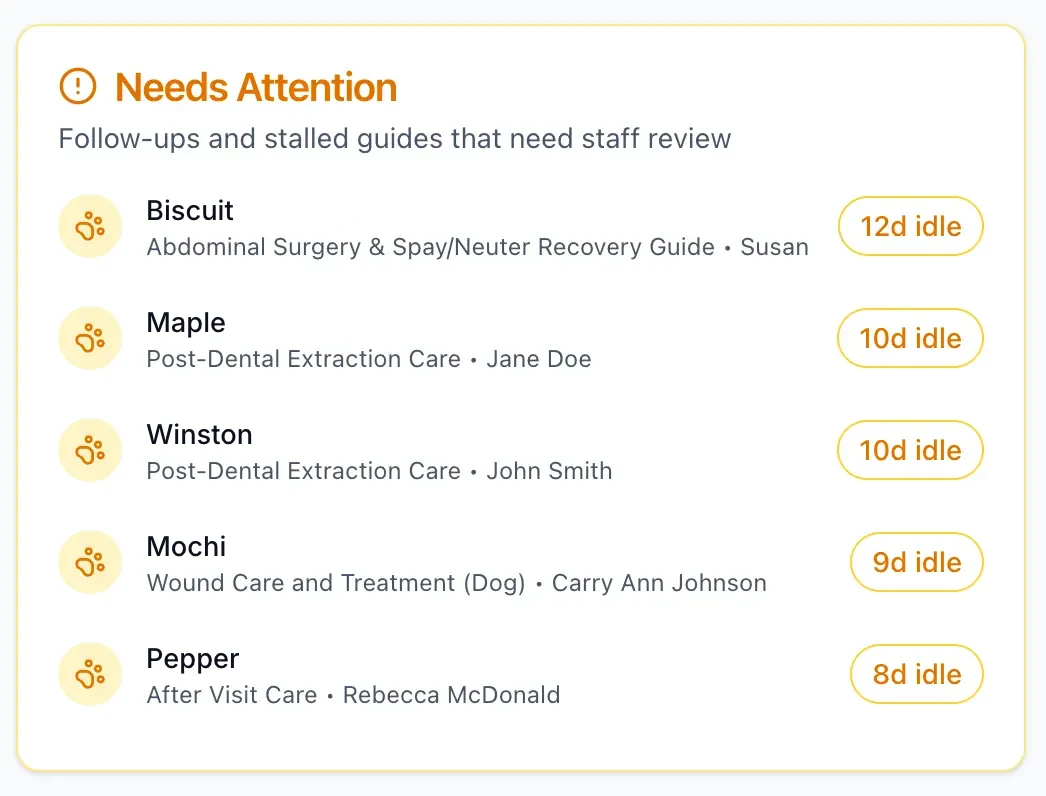
- A Needs Attention list of guides that have gone quiet, so you know which owners to call
- Owner photos and updates on the patient’s record
If an owner hasn’t started the guide by day two, Care Connect emails them a reminder from your clinic.
78% fewer
phone calls to the hospital when surgery patients could message their care team with text and photos
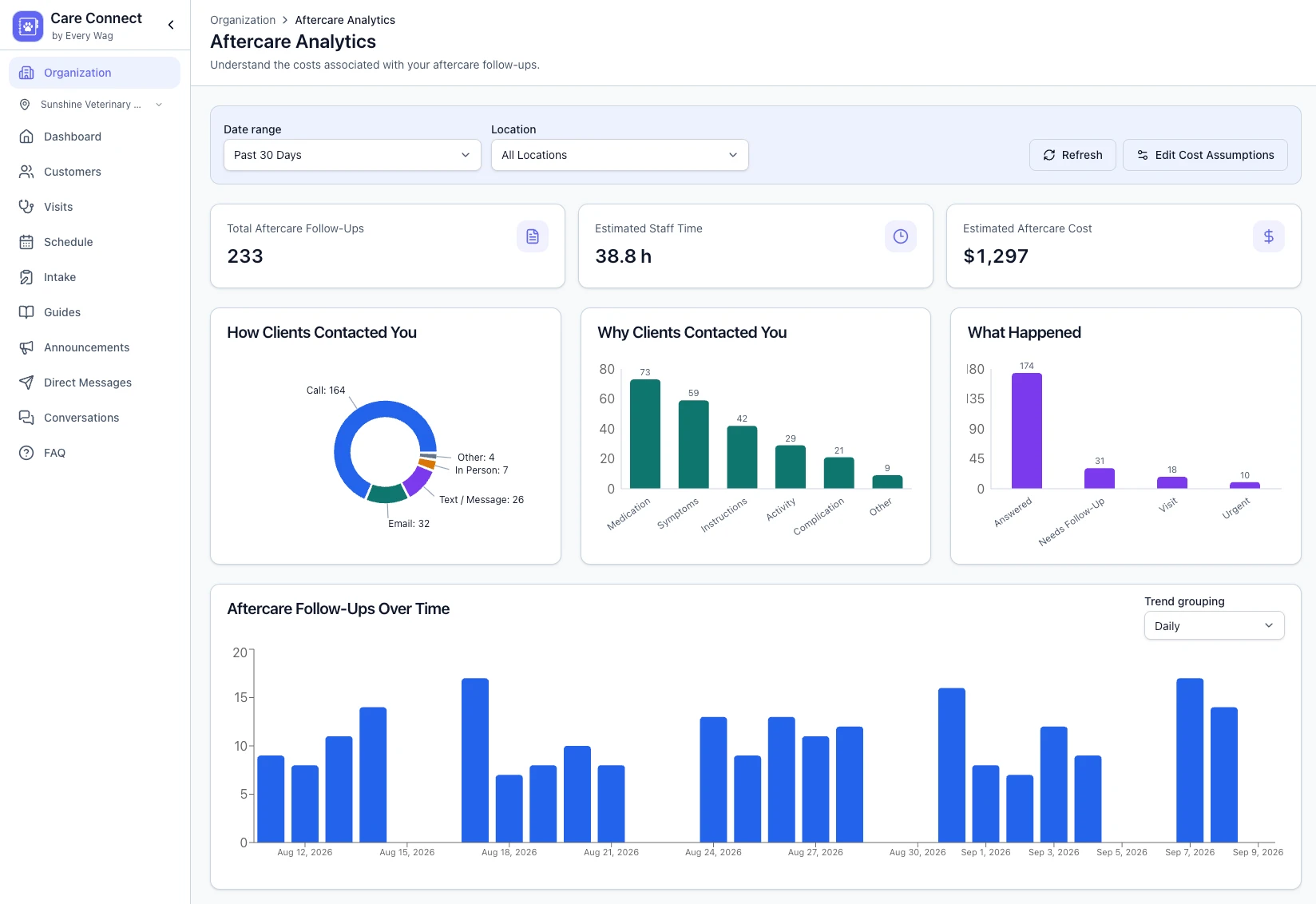
Understand what’s driving your follow-up workload.
See what aftercare follow-up is currently costing your clinic. Your team easily logs follow-ups, and your dashboard shows you why clients need help and the time and cost involved.
- Log follow-ups in a few clicks.
- Adjust costs to represent your clinic.
- Review trends to understand your aftercare workload.
Built from the discharge you already send home
You don’t rewrite anything. The medication becomes a dose schedule with reminders, the warning signs become a step that says when to call, and tonight’s feeding becomes a task.
- 1
Paste or upload your instructions
Care Connect drafts a week-by-week guide, or you start from a ready-made template.
- 2
Make it your standard
Edit anything to fit how your team works. Every spay or dental then goes home the same way.
- 3
Send it at checkout
Add medications or patient-specific tips. The owner gets the guide in the app or by email, and your team sees their progress.
No credit card required. Send your first care guide today.
Or try it now with your own instructions, no account neededDischarge instructions
Meadow Veterinary Clinic · Patient: Bailey, Canine · Mix · 6 years old
Tonight following anesthesia, your pet will need to be kept warm or cool depending on the season. Your pet may remain groggy for up to a day after anesthesia. Many patients may not have a bowel movement for 24–48 hours after anesthesia.
Carprofen 50 mg: Give 1 tablet by mouth every 12 hours with food for 5 days for pain and inflammation.
After today’s dental procedure, Bailey’s mouth could be sore, especially where teeth were extracted. Bailey had 2 extractions today. Feed soft food for 14 days. A pink tinge to saliva or the water bowl is common for 1–2 days after an extraction. If an extraction site was sutured, the absorbable material takes approximately seven days to dissolve.
Offer small amounts of water (1 tablespoon for a dog or cat, or 1 cup for a larger dog) every hour or so after returning home until Bailey seems satisfied. Then offer half of Bailey’s normal dinner portion. If Bailey is interested, feed the remainder in another hour. If Bailey is not eager to eat, waiting until morning is reasonable.
Monitor Bailey’s status. Decreased appetite or activity for a day or two can be expected. Contact the hospital immediately if Bailey exhibits any of the warning signs below.
Please schedule Bailey’s follow-up appointment with the DVM or technician in 7 days.
Questions clinics ask about aftercare calls
Will Care Connect stop all aftercare calls?
Do pet owners need to download an app?
Can owners message the clinic any time they like?
How do we know if calls are going down?
Does Care Connect replace our phone system or PIMS?
How long does it take to get started?
Send your next discharge home as a guide.
Owners find the answers on their phone, and your team sees who still needs a call.
No credit card required. Send your first care guide today.